
Trade ordering, in your pocket
CaterKing app
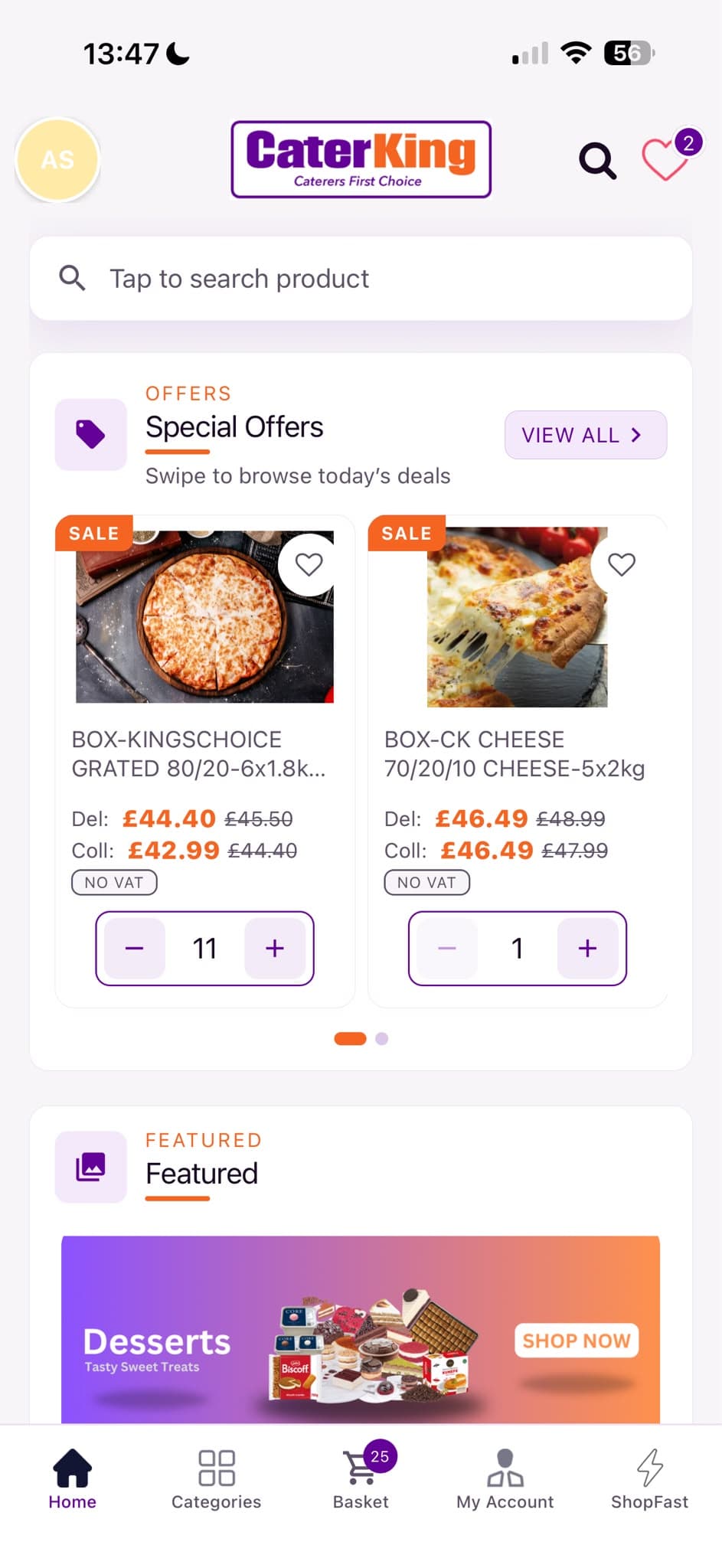
Same trade account, catalogue and pricing as the website — built for kitchens that need to order on the move.
New to CaterKing? Create a trade account
01
Your trade prices
Sign in once and see account pricing, specials and stock for the sites you order for.
02
Order from the pass
Search the catalogue, build a basket, and check out for delivery or collection — without finding a laptop.
03
ShopFast reorder
Pull lines from a past order, tweak quantities, and send again in minutes.
04
Several sites, one login
Switch between cafés, kitchens or venues. Each business keeps its own address and basket context.
In the app
Everything you need to order wholesale
Built for catering trade accounts — not a consumer grocery app.
Catalogue & search
Browse by category or search product codes and names — the same range as caterking.co.uk.
Basket & checkout
Delivery or collection, notes for the warehouse, and bank-transfer payment details at checkout.
Orders & favourites
Review past orders, save favourites, and reorder with ShopFast when you’re short on time.
Businesses & profile
Manage delivery addresses, update contact details, and keep your trade profile up to date.
Secure sign-in
Email and password with secure token storage. Activation and password-reset links open in the app when installed.
Privacy controls
In-app privacy policy and account deletion (Profile → Delete Account), matching our website flows.
Support
App help
Most issues are solved with the steps below. If you’re stuck, the trade desk is the same team that answers the website.
- 1
Install & open
Install CaterKing from Google Play (Android) or the App Store (iOS). Open the app and choose Sign in if you already have a trade account, or Register to create one.
- 2
Activate your email
After registering you’ll get an activation email. Tap the link on your phone — it opens the CaterKing app when installed, or the website at /activate-account. Links expire after about 60 minutes.
- 3
Choose a business
Orders need a business / site (name and delivery address). New accounts get one created at activation when you registered with address details. Add or switch sites under your businesses list in the app.
- 4
Place an order
Shop → add lines → Cart → Checkout. Pick delivery or collection, add notes if needed, then confirm. Payment is by bank transfer using the CaterKing Ltd details shown in checkout.
- 5
Forgotten password
On the login screen choose Forgotten password, or use the website at /forgotten. Reset links open in the app or browser and set a new password.
- 6
Delete your account
In the app: Profile → Delete Account, type DELETE, confirm. Or use the website delete flow, or email admin@caterking.co.uk with subject “Account Deletion Request”.
App FAQ
Is the app the same as the website?
Yes — same CaterKing trade account, catalogue, pricing and order history. The app is optimised for phones; the website is better for large basket edits on a desktop.
Do I need a trade account?
Yes. CaterKing is wholesale for catering businesses. Register in the app or at caterking.co.uk/register, then activate your email before ordering.
Why can’t I see prices?
Sign in and select a business. Prices are account- and site-specific. If you’re still waiting for activation, finish the email link first.
How do I pay?
Orders are paid by bank transfer. The app shows CaterKing Ltd bank details at checkout and on order confirmation. We do not take card numbers in the app.
Can I use the app and website together?
Yes. Sign in with the same email on both. Baskets may differ by device — finish checkout on the device where you built the order.
Activation or reset links don’t open the app
Install CaterKing first, then tap the link again. You can also open the link in a browser (caterking.co.uk) and continue there. Universal Links / App Links need a recent install from the store.
Who do I contact for app problems?
Email admin@caterking.co.uk, call 01704 895890, or WhatsApp 07714 264866 (Mon–Fri, 9am–5pm). Mention that you’re using the mobile app and your account email.
Need a human
Talk to the trade desk
We’re based in Burscough and happy to help with app access, orders and account setup.
Mon–Fri, 9am–5pm
Units 2-5 Langley Pl, Burscough, Ormskirk, L40 8JS